For product teams
Make your prototypes speak for themselves.
Stakeholders explore your hosted prototype on their own, with the reasoning right next to the design.
Free product tours & walkthroughs, without the platform
Help people discover what's possible in your website or app.
Create interactive walkthroughs and product tours that highlight features, explain workflows, and onboard new users. Just point, write, and publish.
Make your product speak for itself
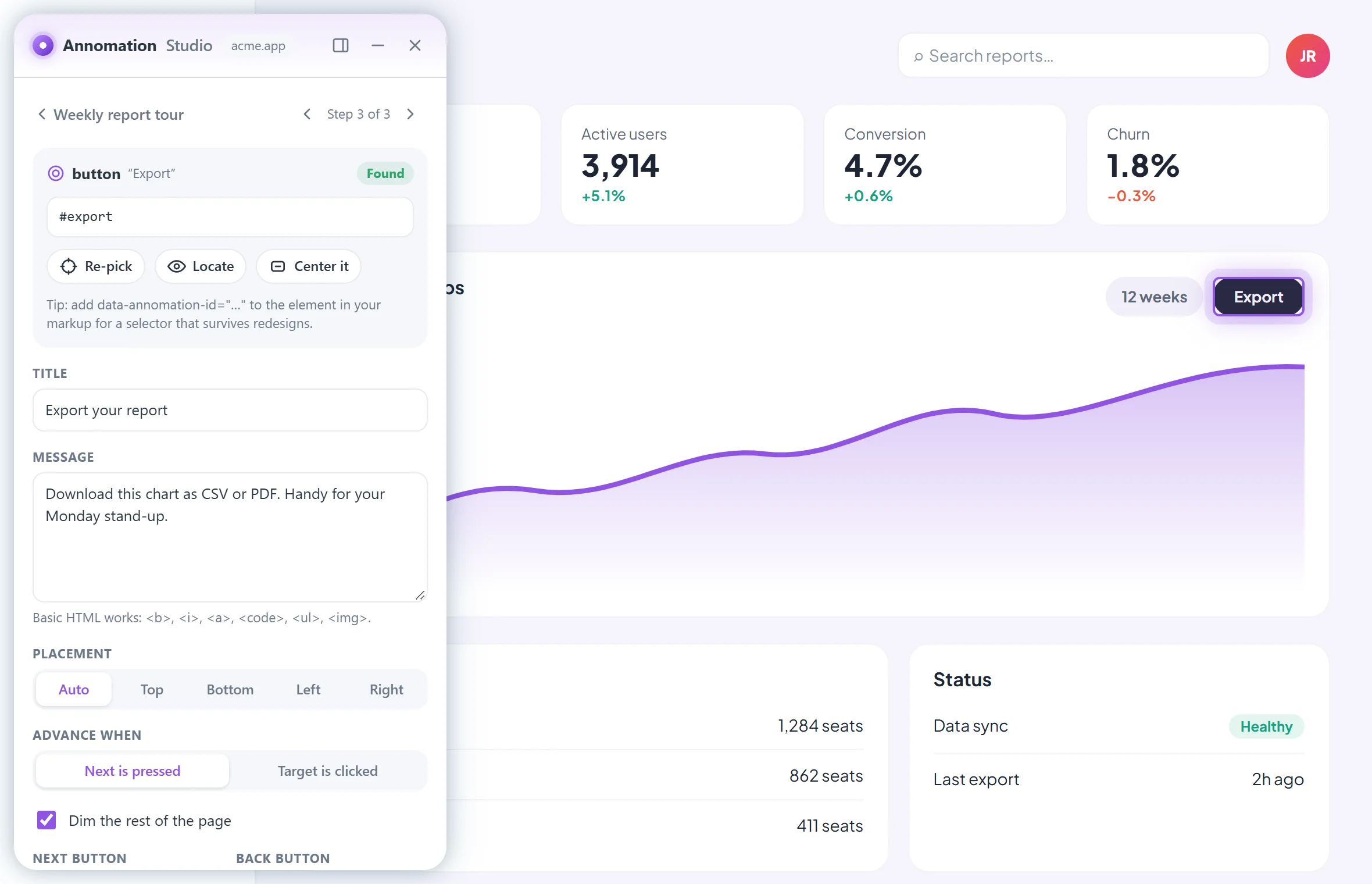
Annomation Studio runs right on your page. Click the element you want to explain, write a sentence, and preview the exact experience your visitors will get.
In-app guidance where it matters
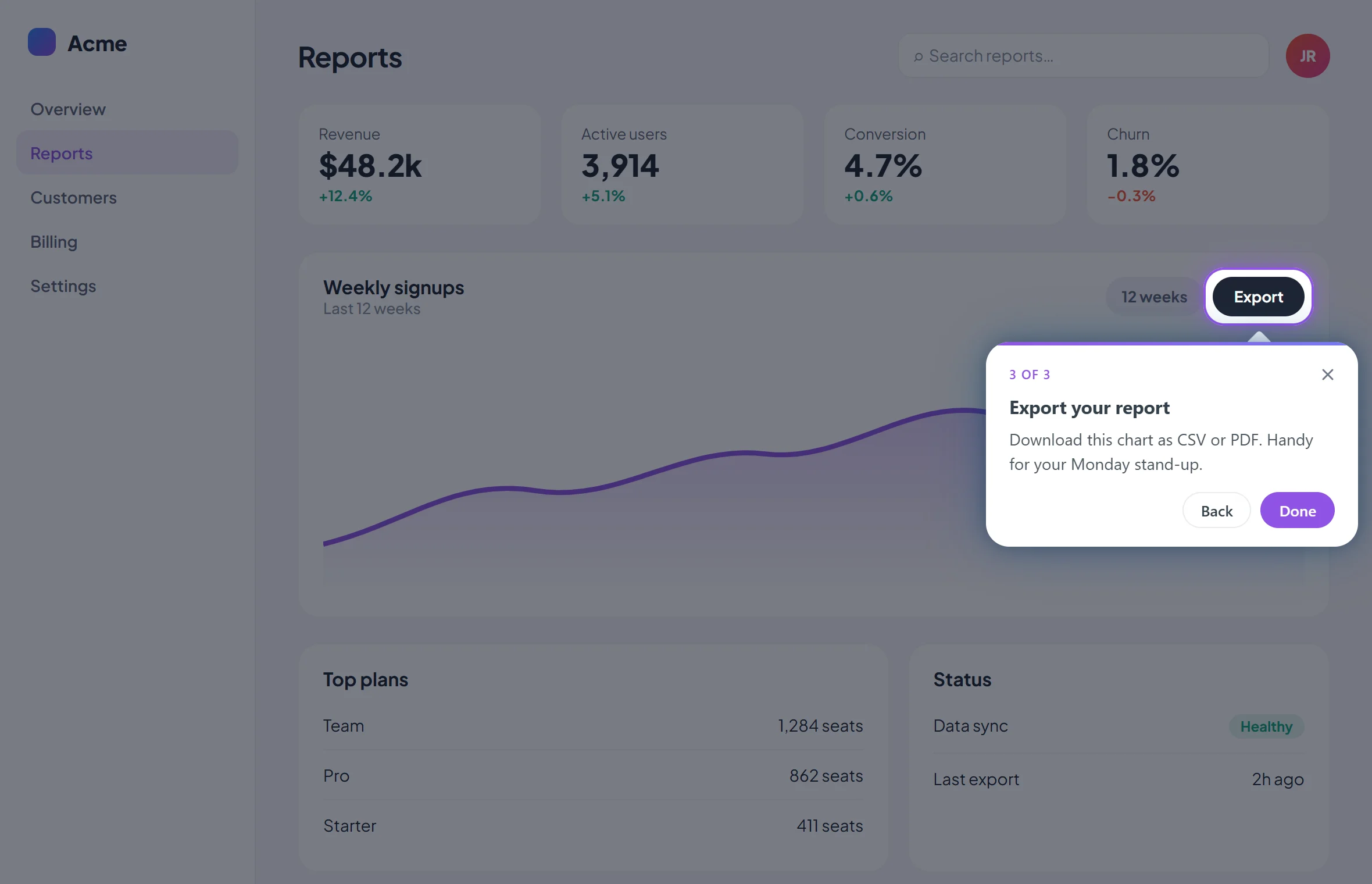
No separate documentation, no switching tabs, no guessing what comes next. Annomation points at the real button, the real menu, the real workflow, so people learn by doing instead of reading about it somewhere else.
How it works
 1
1
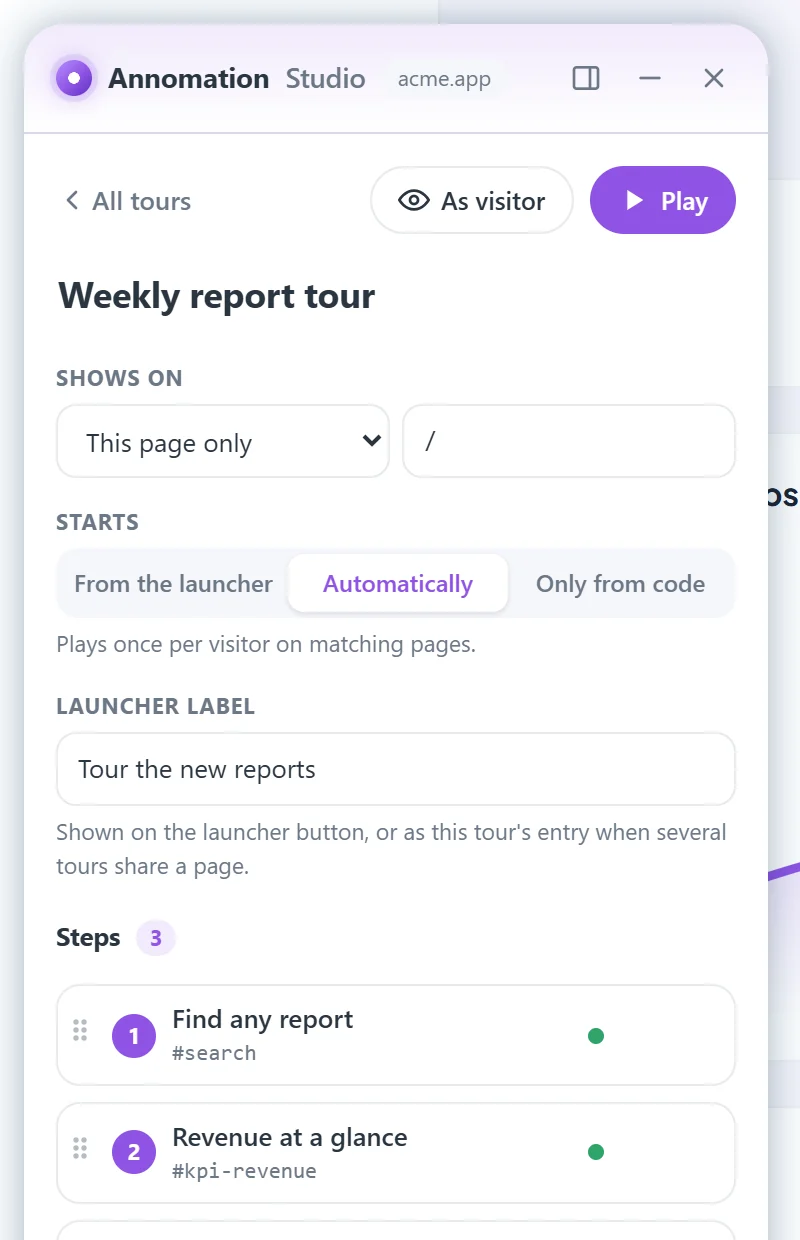
Launch the Annomation Studio extension on the page you want to explain. It opens in a side panel, right on top of your real interface.
 2
2
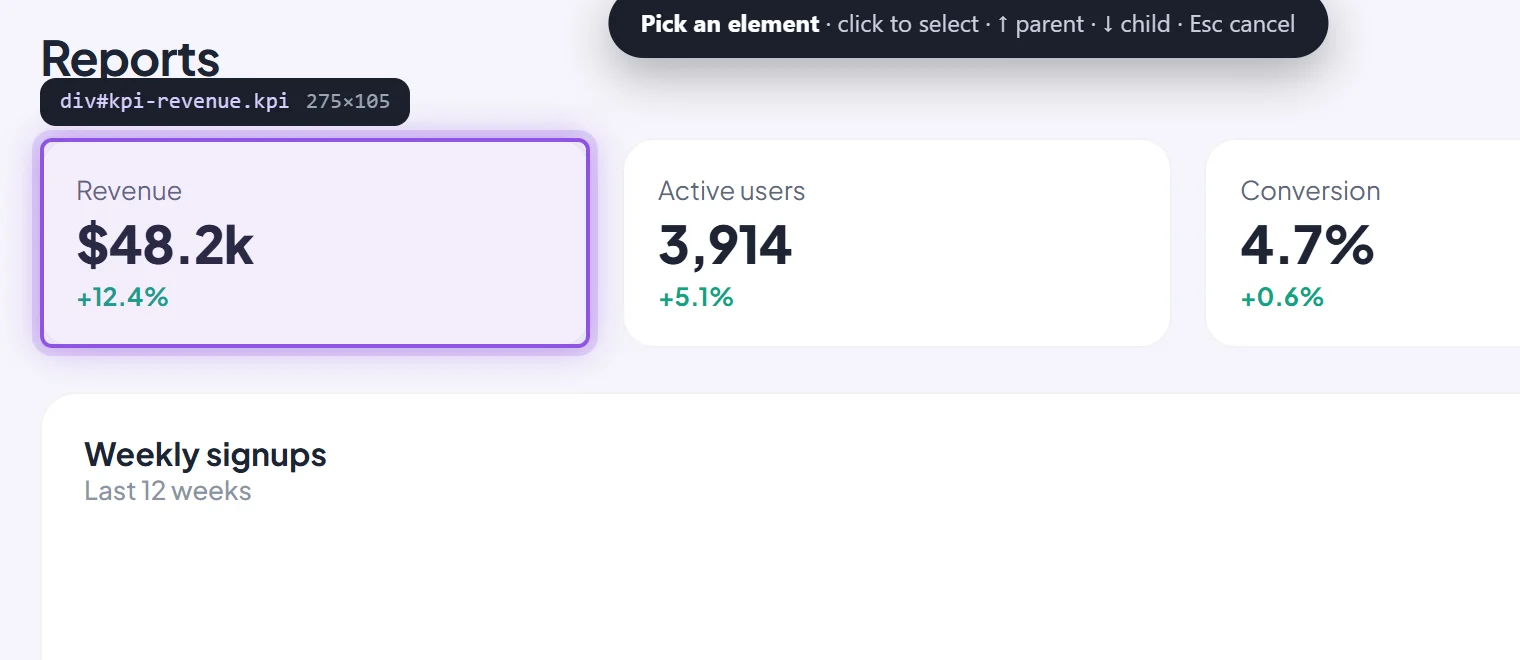
Click any element, write a short message, and build your walkthrough step by step. Preview it exactly as visitors will see it.
 3
3
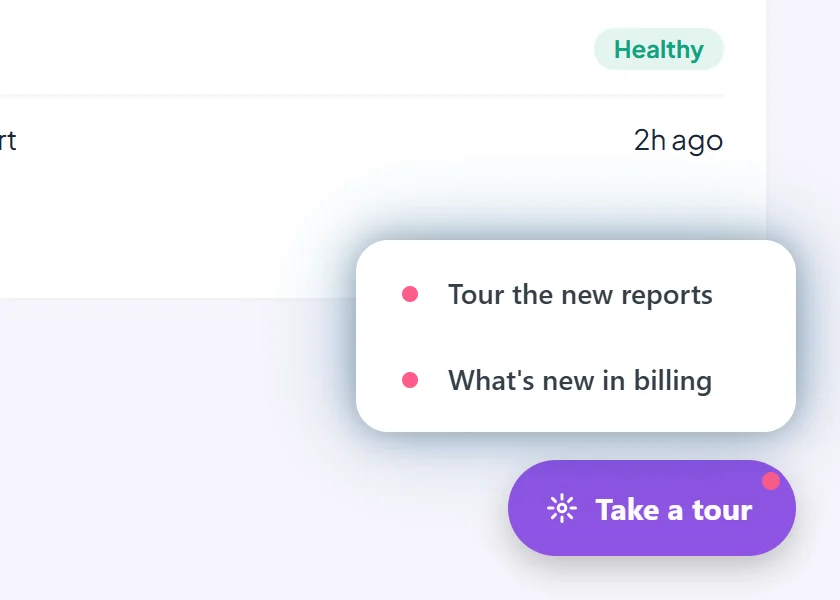
Save the walkthrough into your site with one click and deploy it as usual. Visitors explore at their own pace, from a launcher or automatically on their first visit.
Use cases
For product teams
Stakeholders explore your hosted prototype on their own, with the reasoning right next to the design.
For developers
Announce what's new right where it lives, with files that deploy with your code.
For businesses
Walk new customers through the workflows that matter, at their own pace.
Ownership
Create guided experiences directly in your browser. Your work stays with you until you choose to publish it, and then it lives alongside your application, with no other platform to manage.
Walkthroughs are created and stored in your browser. No account, no cloud workspace.
Save the files alongside your site or app. You decide where and how it runs.
No hosted service, no subscription, no vendor dashboard. Free to use.
Customization
Choose your accent color and light, dark or automatic mode in Studio. Walkthroughs follow your brand, and you can fine-tune anything further with your own CSS. Try it here, then replay the demo.
A lightweight JavaScript library
Handles modern applications, changing screens, and elements that only appear after loading or after opening a menu.
Draws attention to the right element and glides naturally from step to step, always keeping the explanation on screen.
Keyboard friendly and easy to dismiss. Each walkthrough is shown once per visitor, never on repeat.
data-annomation-id, stable ids and test ids, skips framework-generated noise, and falls back to tag + text if markup drifts.prefers-reduced-motion.annomation.json in its own folder. Prefer code? Annomation.init() and Annomation.start() are there too.Install Developer preview
Creating and publishing are two separate jobs, so you can try everything before your site changes at all. Studio isn't in the Chrome Web Store yet; until it is, it installs as a developer preview in Chrome or Edge in about a minute.
Step 1 · Anyone
Install the browser extension and start pointing. You can explore and preview everything before touching your site.
chrome://extensions, turn on Developer mode, choose Load unpacked, and pick the folder.Step 2 · Whoever deploys your site
Save to project folder writes three files into your site, always together. Add two tags once, then deploy as usual.
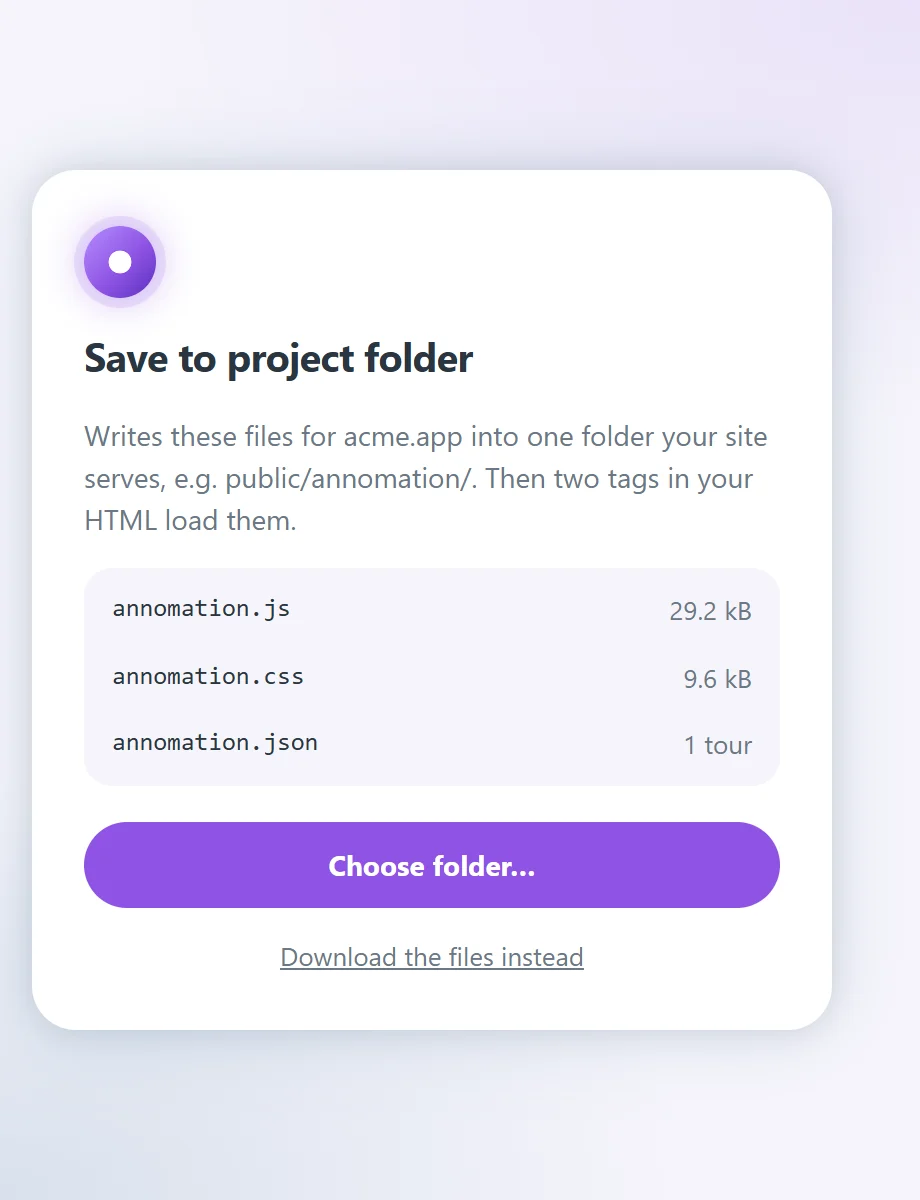
<link rel="stylesheet" href="/annomation/annomation.css">
<script src="/annomation/annomation.js" defer></script>
FAQ
Annomation is a free tool for creating guided walkthroughs and product tours on your website or app. You point at elements on your real interface with the Annomation Studio browser extension, write a short explanation for each, and publish the walkthrough alongside your site.
Yes. Annomation is free to use, with no account and no subscription.
No coding is needed to create a walkthrough: you point and write in the browser extension. To publish it, someone adds three small files to your site's folder and two tags to your pages, once.
Yes. A walkthrough can play automatically on a visitor's first visit or start from a launcher, so you can guide new users through key workflows, announce new features, or explain a prototype. Each walkthrough is shown once per visitor.
Yes. Annomation works on any website or web app you can add files to, including single-page apps built with React, Vue, Angular or Svelte. Walkthroughs can wait for elements that appear later, such as menus and dialogs.
You can preview a walkthrough on any page with Studio, but visitors only see walkthroughs on sites whose owner has added the Annomation files.
Annomation Studio, the authoring extension, runs in Chrome and Edge. It's currently a developer preview while the Chrome Web Store listing is prepared. The walkthroughs themselves run in all modern browsers.
While you work, walkthroughs are stored in your browser. When you publish, they're saved as a file in your own site's folder. Nothing is sent to an Annomation server.
No. Once a visitor has seen a walkthrough it isn't shown or offered to them again, and automatic walkthroughs play only once per visitor.